Know how many orders were matched
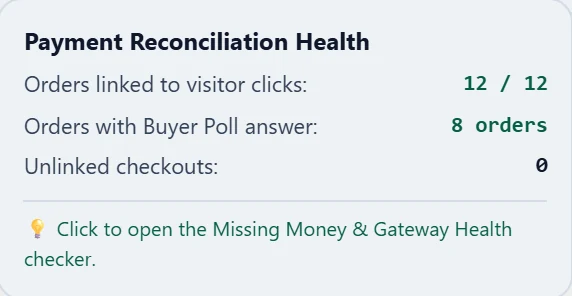
The tracking script carries a visitor reference into checkout. Payment Match shows how many orders were linked to a visit and how many checkouts couldn't be.
Payment matching
Attriboo brings payments and visits into one report and matches each payment to the visitor who made it.
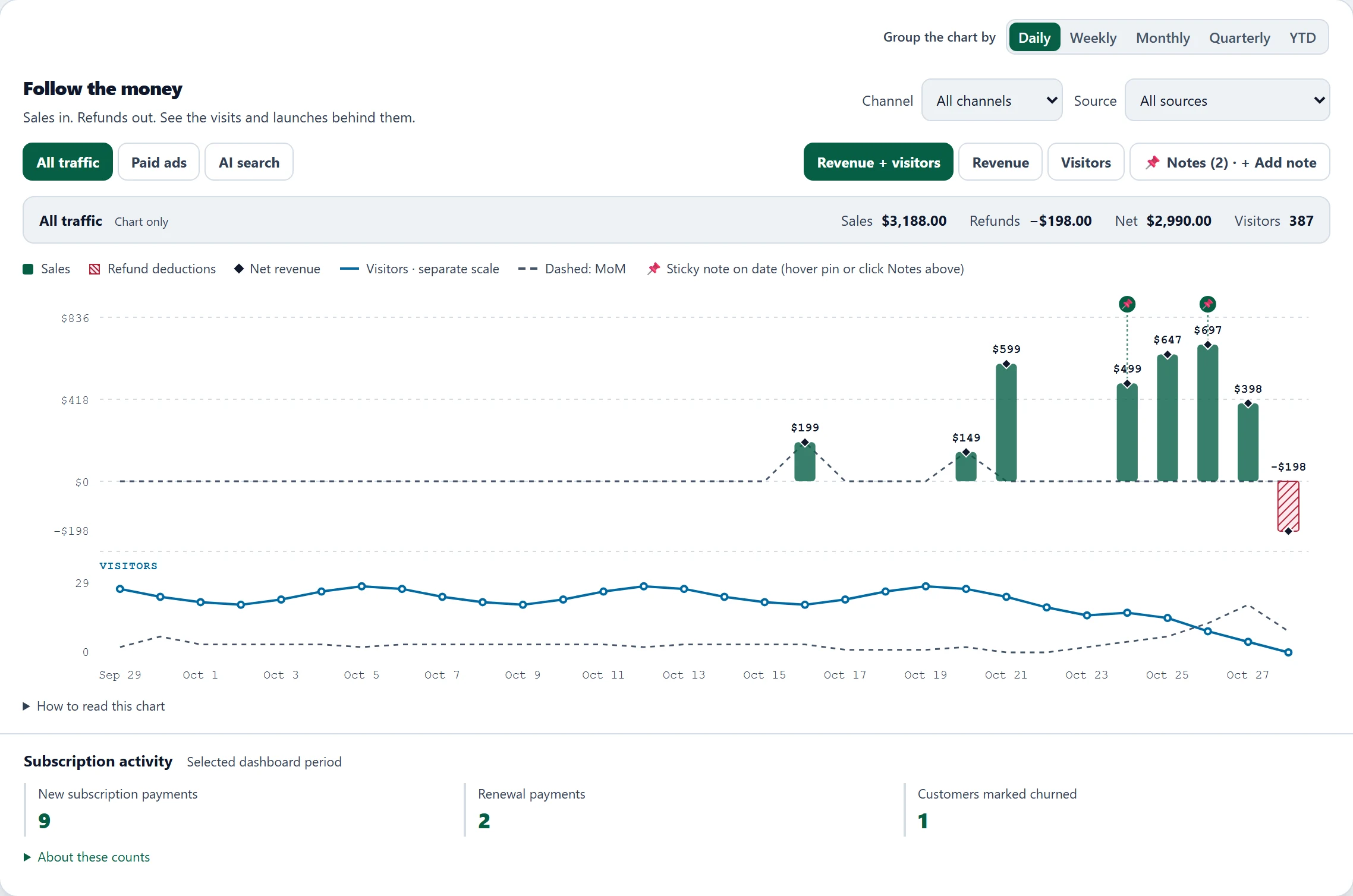
Your payment dashboard shows the money and your analytics shows the clicks. Neither shows which click became which payment.
A goal count stays the same when a customer gets their money back, so a source can look better than it was.
Matching orders to campaigns by hand takes hours and is out of date by next week.
The tracking script carries a visitor reference into checkout. Payment Match shows how many orders were linked to a visit and how many checkouts couldn't be.
Net revenue takes refunds off. Profit after ads also subtracts the ad spend you import, and value per visitor shows what each visit is worth.


Connect your payment provider: Stripe, Polar, Lemon Squeezy, Paddle, PayPal, Shopify or WooCommerce.
Paste one script tag into your site, or follow the guide to install Attriboo on your website.
Make a test purchase and choose the matching route for your checkout.
Most providers can import the last 90 days of payments, but earlier visits can't be recreated, so those sales may have no source. Shopify and WooCommerce start with new orders.
Stripe, Polar, Lemon Squeezy, Paddle, PayPal, Shopify and WooCommerce. You can connect more than one provider to the same website.
The tracking script passes a visitor reference into your checkout, and the payment comes back with it. Payment links, server-created checkouts and store carts carry it differently, so pick the route that fits yours in the guide to choose the matching route for your checkout.
Stripe, Polar, Lemon Squeezy and Paddle import the last 90 days, and PayPal does when Transaction search is on. Shopify and WooCommerce start with new orders. Visits from before you installed the script can't be recreated, so older sales may have no source.
Yes, when your provider sends them. Net revenue is sales minus refunds.
They still count in your revenue totals but aren't credited to a source. Payment Match shows how many orders were linked so you can spot a checkout that isn't passing the visitor reference.
Explore the demo, or start free and connect the payment provider you already use.
Start freeFree plan · No credit card required