Pick the credit rule that fits your question
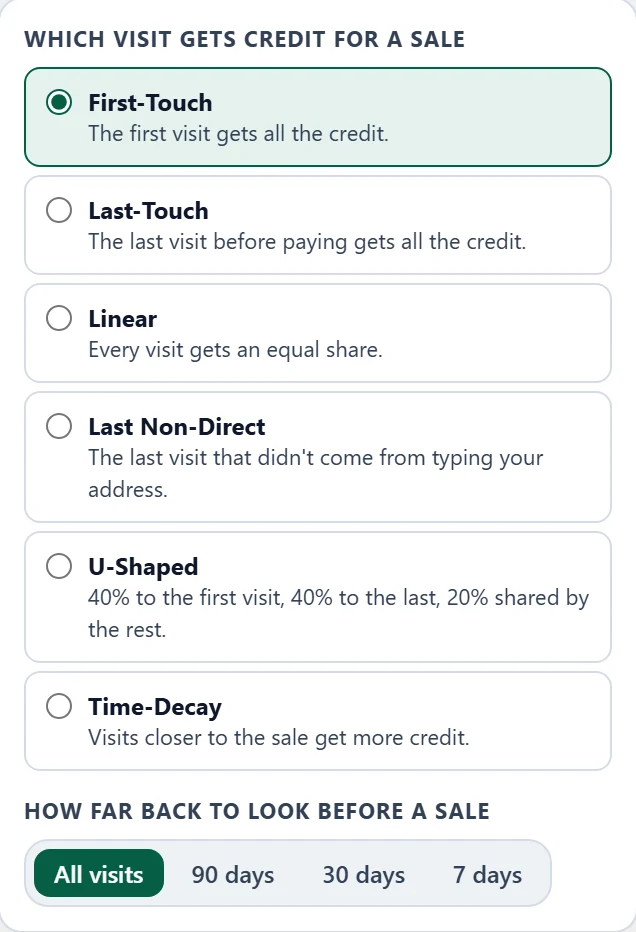
First-Touch shows what finds new customers. Last-Touch shows what closes them. Linear, Last Non-Direct, U-Shaped and Time-Decay sit in between. Change the rule and every report updates.
Revenue attribution
Attriboo links every payment to the visits before it, so each source shows the money it brought in, not only the clicks.
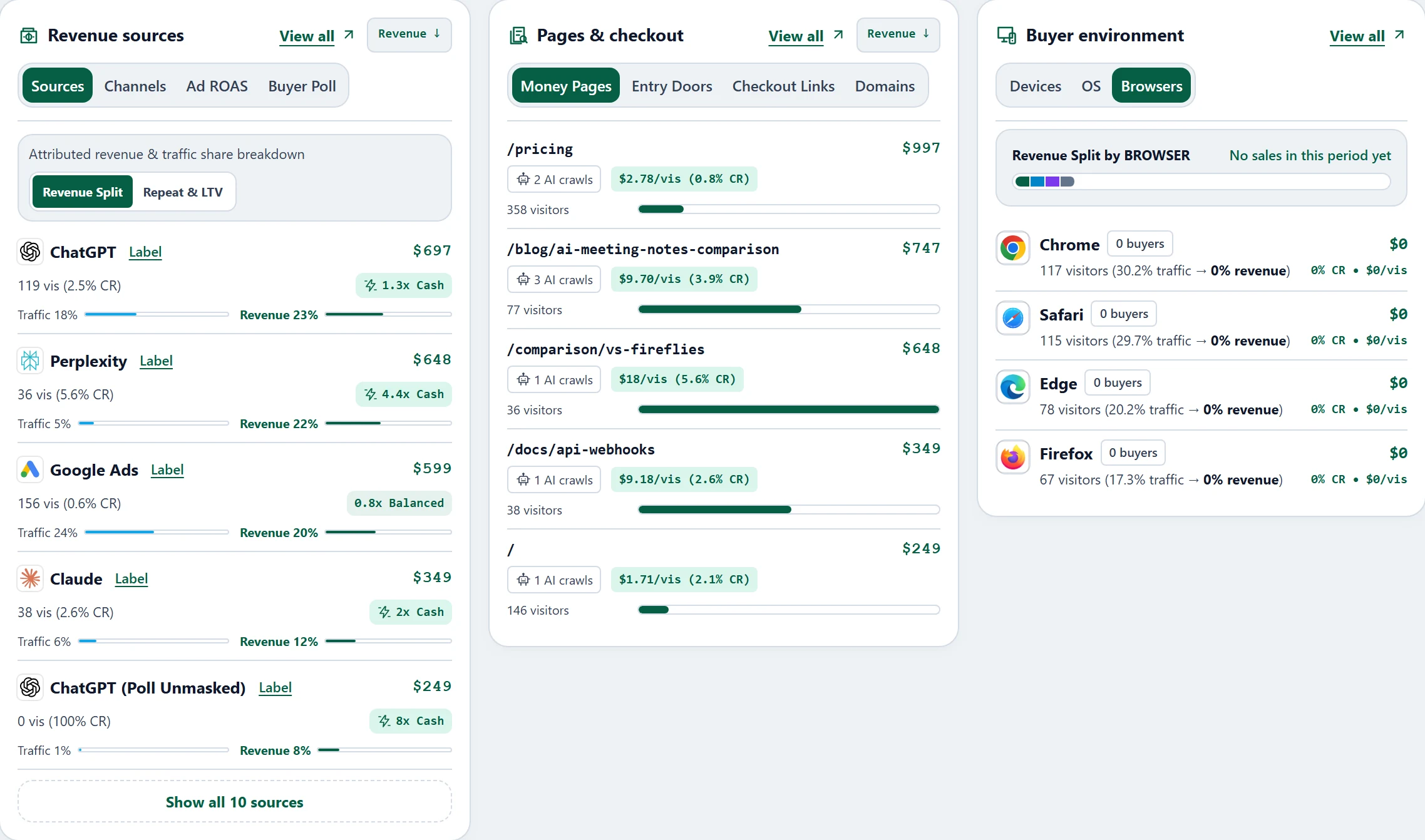
Your analytics shows which source sent the most people, not which sent the people who paid.
Many tools give the whole sale to the last click. The post that introduced the buyer gets nothing.
Google and Meta can both claim the same purchase, so their totals add up to more than you sold.
First-Touch shows what finds new customers. Last-Touch shows what closes them. Linear, Last Non-Direct, U-Shaped and Time-Decay sit in between. Change the rule and every report updates.
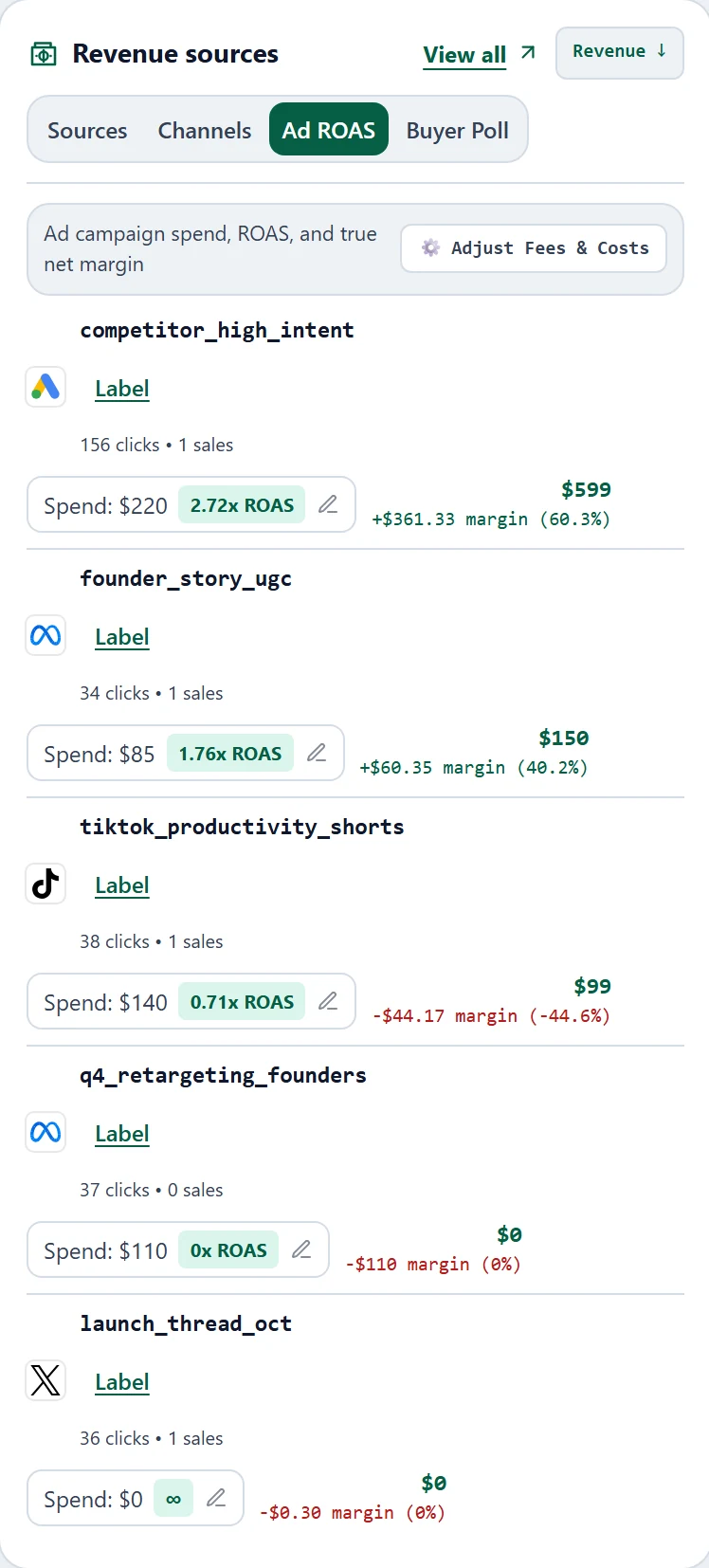
Import spend from Google Ads, Meta, Microsoft Ads or TikTok, and Ad ROAS sets each campaign's cost against the revenue credited to it.
Paste one script tag into your site, or follow the guide to install Attriboo on your website.
Connect your payment provider so completed payments and refunds arrive on their own.
Start with First-Touch, then switch to Last-Touch. The guide to how the six attribution models differ explains each one.
Some sales have no matching visit, for example when a buyer switched devices or blocked tracking. Attriboo leaves those unattributed instead of guessing.
It matches each sale to the marketing visits that came before it, so you can see how much revenue each source brought in, not only how many visitors it sent.
There isn't one right answer. First-Touch shows what finds new customers, Last-Touch shows what closes them, and Linear, U-Shaped and Time-Decay share the credit. Last Non-Direct skips visits where someone typed your address. Compare two rules before you move budget. The guide to how the six attribution models differ has worked examples.
It's how far before a sale a visit can still get credit. Choose all visits, 90, 30 or 7 days in the Credit menu.
No. Attriboo starts from the sales your payment provider records, so each sale is counted once and its credit is shared between sources by the rule you choose.
A sale needs a matching visit before it can be credited. A buyer who switched devices, blocked tracking or bought before you installed the script has no visit to match, so the sale stays unattributed instead of being guessed.
Explore the dashboard with sample data, or start free and connect your own site.
Start freeFree plan · No credit card required