See where customers come from
A source is where a recorded visit came from, such as a search engine, newsletter, or ad. Read visits alongside revenue before choosing where to spend more time.
Open your sources
- Choose one website and date range.
- Open Dashboard.
- Scroll to Where Is My Money Coming From?
- Select Sources.
Channels groups sources into broader types, such as paid ads or organic search.
- Check the sort button.
Sort: Revenue ↓ puts revenue first. If the button says Sort: Traffic ↓, select it to change the ordering.
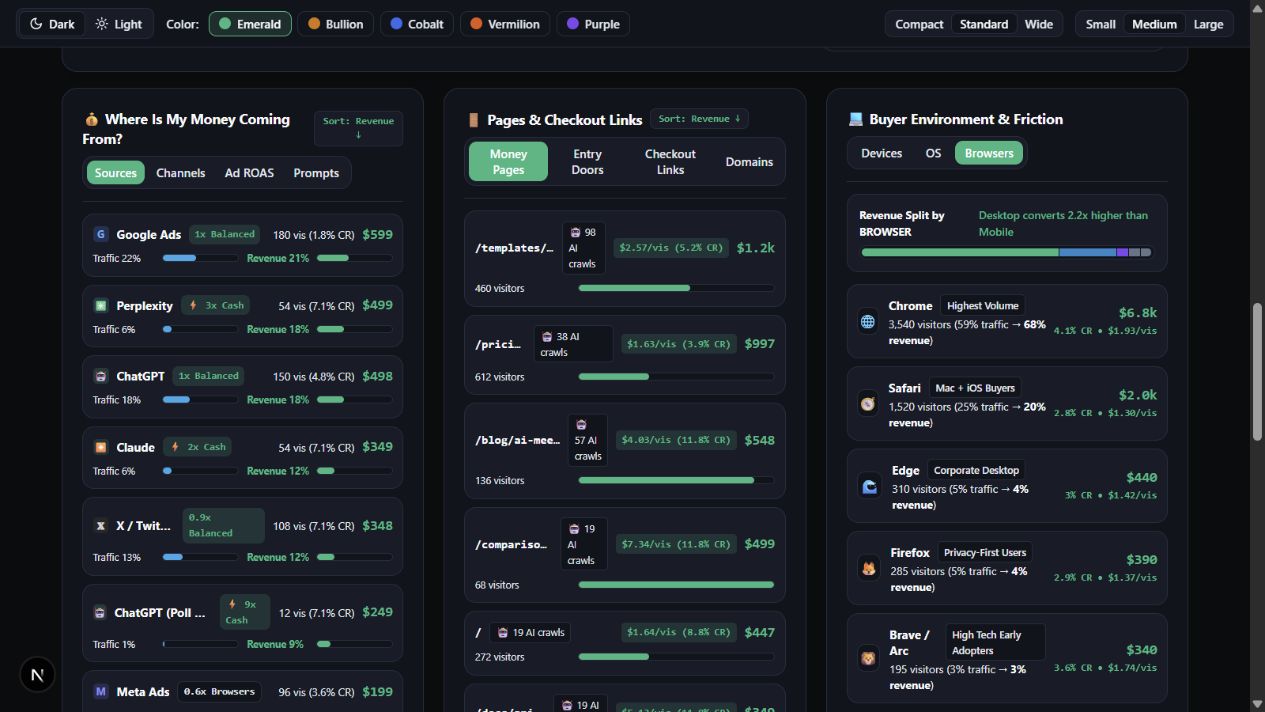
An example with different sized audiences
The newsletter has fewer visitors but more revenue credited to it in this example. That makes it worth investigating. Consider the time and cost involved, and look for more activity before making a large change.
| Fictional source | Visitors | Revenue credited | Revenue per visitor |
|---|---|---|---|
| Newsletter | 200 | $600 | $3.00 |
| Social post | 1,000 | $500 | $0.50 |
Why a source may say Direct
Direct means the reporting rules did not identify another source. Someone may have typed your address, but source information can also be missing from a link or browser. Do not assume every Direct visit has the same explanation.
Keep the rule the same
Attribution models share credit differently. Keep the same model, website, dates, and currency when comparing sources. A credited sale is an association under that rule, not proof that one source caused the purchase.
You are done when
You can compare two sources without relying only on visitor totals.
Still need a hand?
Send a question without needing to sign in.